IPTV catch up: how to watch what you missed (2026)
IPTV catch up, also called timeshift or replay, lets you jump back to a program that already aired. Here is how catch up works on IPTV, what your source needs to support it, and how to use it.
Catch-up, also called timeshift or replay, is an IPTV feature that lets you jump back to a program that already aired and watch it from the start, with no recording set up in advance. It fixes the one obvious flaw of live television: if you missed it, it is gone. This guide explains how catch-up works on IPTV and how to use it.
What catch-up is
Where an EPG shows you what was on, catch-up lets you actually play it. Select a past program in the guide and, if catch-up is available for that channel, it plays back on demand. Think of it as a rewind that reaches back across the last few days, rather than a recording you had to remember to start.
What it needs to work
Catch-up is not something the player invents on its own. It depends on your source offering it. Two things have to line up:
- The provider stores the past broadcast. Many keep a rolling window, often a few days, of what has aired.
- The channel is marked as catch-up capable, usually in your playlist or Xtream account, so the player knows how far back it can reach.
Where both are true, a program that already ended becomes playable. Where they are not, the guide still shows the past schedule, but those entries cannot be replayed. That is a limit of the source, not the app.
How to use it in Streamblix
When your source supports it, catch-up in Streamblix works the way you would hope:
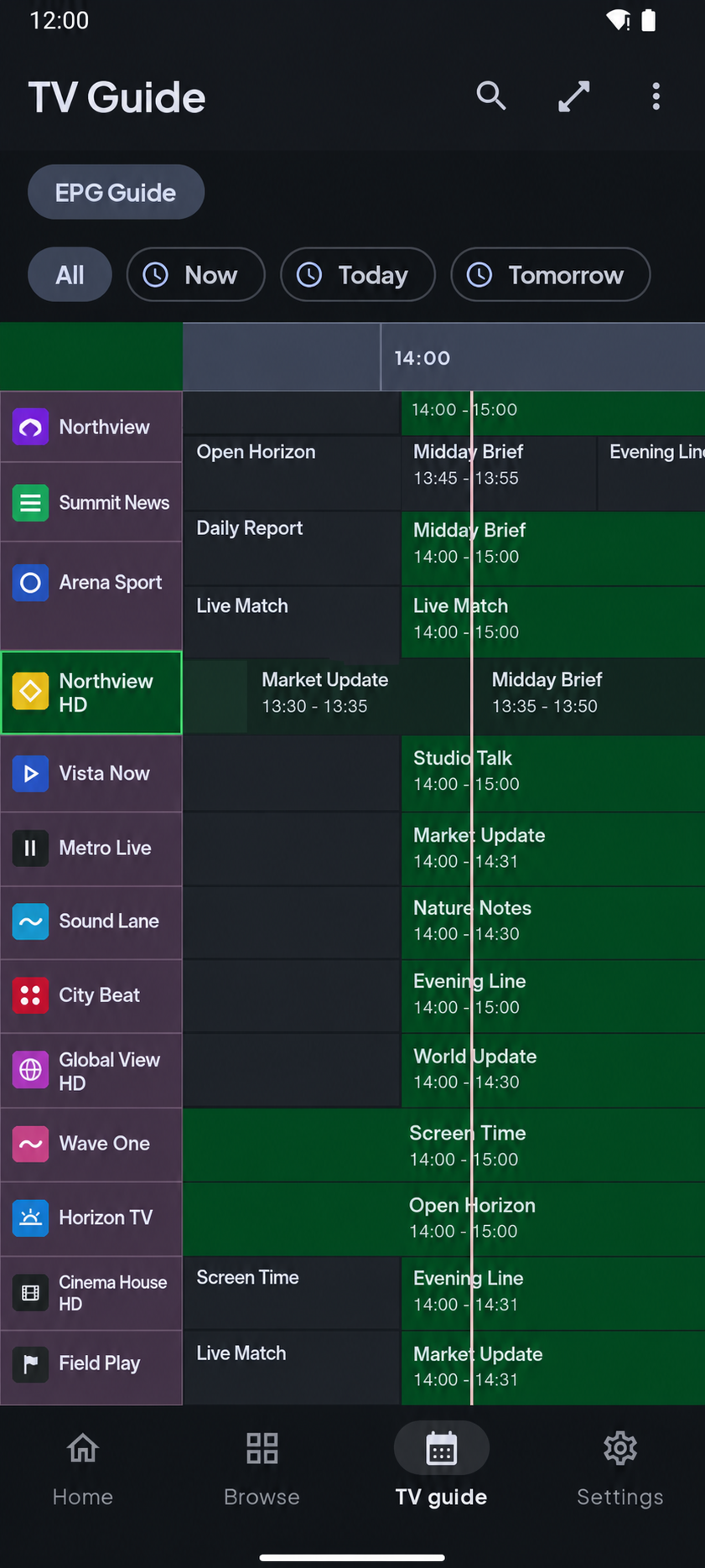
- Open the program guide and scroll back to an earlier time slot.
- Select a program that has already aired.
- If catch-up is available for that channel, choose replay to play it from the beginning.
There is nothing to configure in advance and nothing to record. The guide you already use becomes a window into the recent past.
When you do not see a replay option
If a past program will not play back, it is almost always the source:
- The channel does not offer catch-up. Only some do.
- The program aired outside the provider's window, beyond the few days they keep.
- The source did not flag its catch-up support, so the player cannot request it.
None of these are things a player can force. What Streamblix does is surface the option cleanly wherever the source makes it available, so you are never hunting for a feature that is buried.
Why it matters
Catch-up quietly changes how you watch. You stop arranging your evening around a broadcast time, because missing the start is no longer missing the program. For news, sport, and series that is the difference between live TV feeling rigid and feeling like something you control.
Streamblix supports catch-up wherever your source does, alongside a clean guide, background playback, and no ads in playback. It is free on Google Play. If you are choosing a player, our guide on what to look for puts catch-up in context.
Frequently asked questions
- What is catch-up TV on IPTV?
- Catch-up, also called timeshift or replay, lets you play a program that already aired by selecting it in the program guide, with no recording set up in advance. It reaches back across the provider's stored window, often a few days.
- Why can't I replay some past programs?
- Catch-up depends on your source. The channel may not offer it, the program may have aired beyond the provider's stored window, or the source may not flag its catch-up support, none of which a player can override.
- Do I need to set up a recording for catch-up?
- No. Unlike a DVR, catch-up needs nothing scheduled in advance. If the source supports it, you simply select a past program in the guide and choose replay.
Try Streamblix
A considered IPTV player for Android. Bring your own source and it makes it watchable, fast, and free of ads in playback. No account to begin.