The best HUD apps for Android in 2026
The best head-up display (HUD) apps for Android: how phone HUD mode works, what to expect, and when a full dashboard beats a mirrored speed number.
A head-up display (HUD) projects information into your line of sight so you barely look away from the road. Real cars build it into the windshield; a phone fakes it by displaying a mirrored, bright readout that reflects off the glass. Done right it is genuinely useful. Here is what to expect and how to choose.
We make a dashboard app with a glanceable speed cluster (Car Dashboard), so this has a stake, and we will be honest about the limits of phone HUD mode.
How a phone HUD works
You place the phone flat on the dash, near the windshield, and the app shows a mirror-image, high-brightness readout, usually your speed. The windshield reflects it back the right way round, floating in your sightline. No special hardware, just the phone and the app.
The honest limits
- Night is its natural habitat. The reflection is clear against a dark road.
- Daylight is its weakness. In bright sun, the reflected number can wash out and be hard to read.
- You need the right angle. A flat, non-slip spot near the base of the windshield, and a clean windscreen, make or break it.
- A HUD film helps. A cheap reflective film on the glass sharpens the image, though many people manage without one.
What to look for in a HUD app
- A big, high-contrast readout that mirrors cleanly.
- Adjustable brightness, so it is readable at night without dazzling.
- The data you want: speed at minimum, sometimes a compass or time.
- A dark background, so only the numbers reflect, not a lit panel.
HUD number, or the whole dashboard?
A HUD gives you one thing beautifully: a speed number in your sightline. But most people who mount a phone also want the time, a map, and their music. A HUD alone cannot do that.
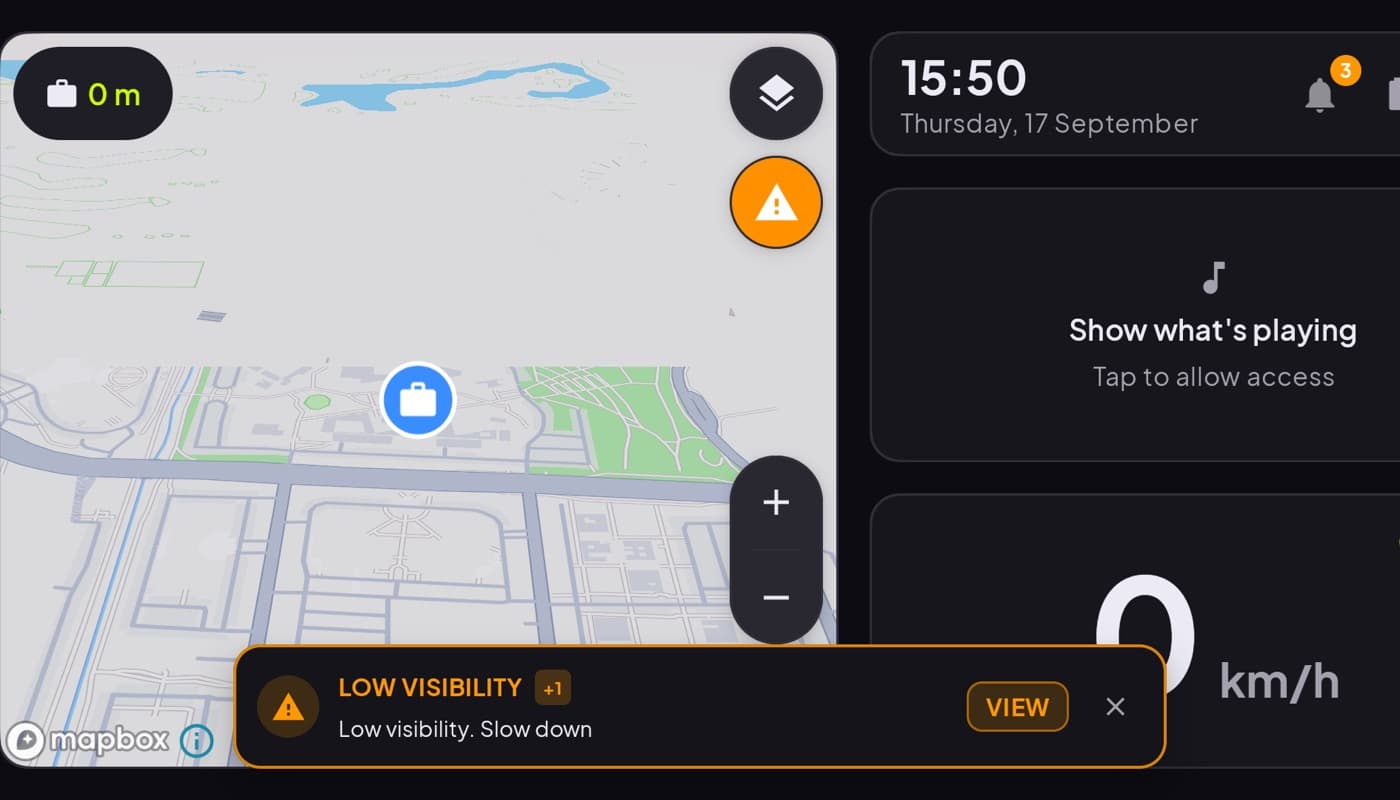
That is where a car dashboard comes in. Car Dashboard shows a big, glanceable speed cluster front and center, then adds the clock, weather, maps, music and radio around it, on one dark landscape screen built for a dash mount. You get the at-a-glance speed a HUD is loved for, plus everything a mirrored number cannot show. Coming soon on Google Play.
How to choose
- Drive mostly at night and want speed in your sightline? A dedicated HUD app, ideally with a reflective film, does that job.
- Want speed plus maps, music and the rest? A dashboard app with a big glanceable speed readout covers far more, and is easier to see in daylight.
The short version: a phone HUD is a neat night-driving trick for keeping speed in view. For everything else, a full dashboard is the more useful screen, and it still gives you a speed number you read in a glance.
Frequently asked questions
- Do phone HUD apps actually work?
- Yes, especially at night. The app shows a mirrored, bright readout that reflects off the windshield into your sightline. In bright daylight the reflection can wash out, and a clean windscreen or a cheap HUD reflective film sharpens the image. It's a real effect, just angle- and light-dependent.
- What is the best HUD app for Android?
- The best HUD app has a big, high-contrast mirrored readout, adjustable brightness for night, and a dark background so only the numbers reflect. If you want more than a floating speed number, a dashboard app with a glanceable speed cluster, like Car Dashboard, gives you speed plus maps and media.
- Do I need a HUD film for a phone head-up display?
- Not strictly, but it helps. A reflective HUD film on the windshield sharpens the image and reduces a faint double reflection. Many people use HUD mode without one at night; in daylight, a film makes a bigger difference.
Turn your phone into the cockpit
Car Dashboard puts a big glanceable speedometer, maps, music and hands-free calling on one dark, landscape screen, in any car. Coming soon on Google Play. Join the waitlist for launch.
Get notified the day it lands on Google Play. No spam, one email.