The best speedometer apps for Android in 2026
The best GPS speedometer apps for Android: how accurate they really are, what to look for, and when a full car dashboard beats a single-gauge app.
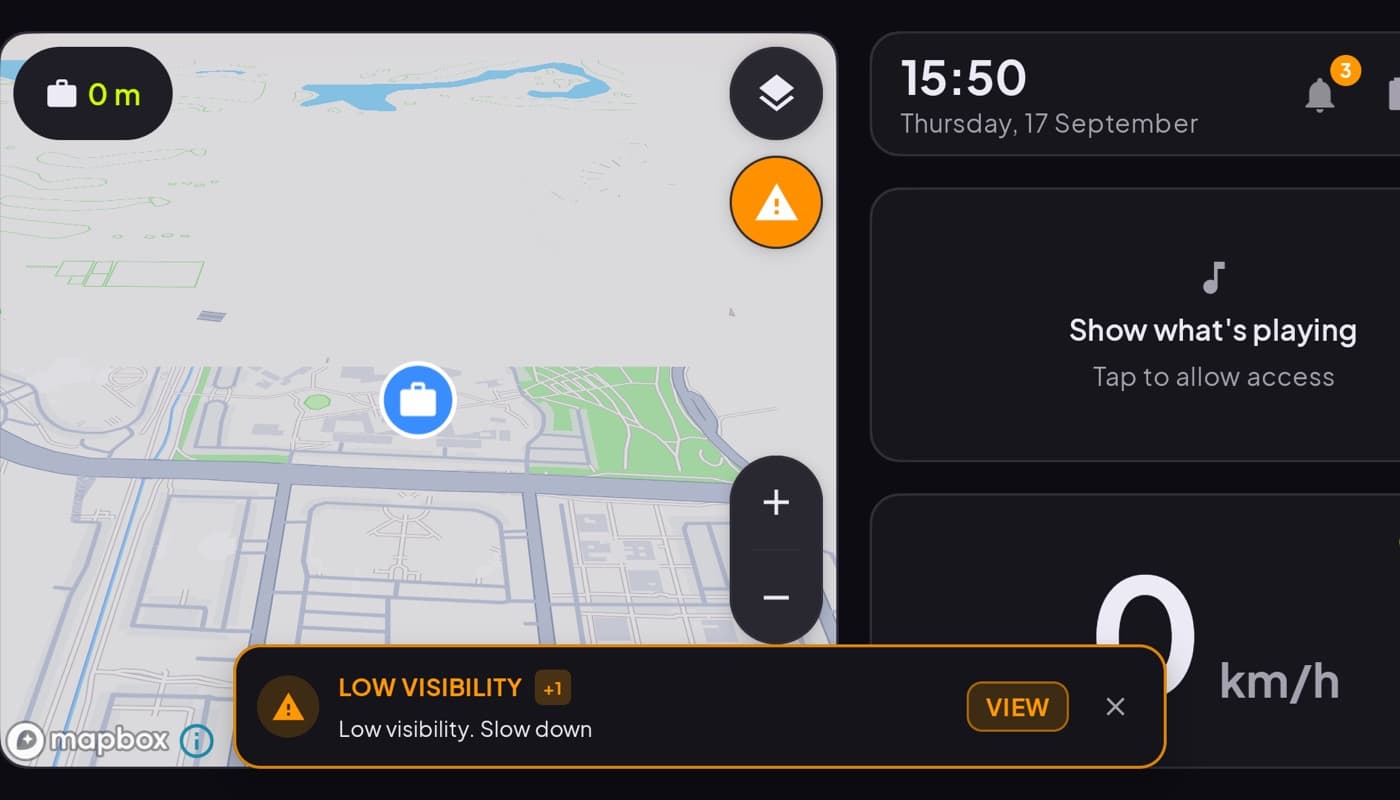
A speedometer app is one of those things that sounds too simple to get wrong, and yet the app stores are full of ones that bury a giant number under ads, or draw it so small you cannot read it while driving. Here is what actually matters, and where a dedicated speed app ends and a full car dashboard begins.
We make a dashboard app with a speedometer in it (Car Dashboard), so we have a stake here, and we will be straight about when you do not need the whole cockpit.
How phone speedometers work
Your phone does not tap into the car at all. It reads your position from GPS several times a second and calculates speed from how far you moved. That has two nice consequences:
- It works in any vehicle, car, bike, bus, no wiring, no OBD dongle.
- It is often more accurate than your car's dial. Car speedometers are legally allowed to read a little high and usually do, by 12 percent or so. GPS speed is typically closer to your true speed.
The tradeoff: GPS needs sky. In a tunnel or a concrete parking garage, the reading can drop out for a moment until signal returns.
What to look for
- A genuinely big, high-contrast number. You should read it in a glance.
- A HUD / mirror mode if you want to reflect it onto the windshield at night.
- Units you can switch (mph / km/h) and a clean, dark look.
- No ads covering the gauge. A speedometer plastered with banners is a hazard, not a feature.
- Low battery drain. Constant GPS is thirsty; a good app is efficient and plays nice with a car charger.
Single gauge, or the whole dashboard?
A dedicated speedometer app is perfect if that is all you want, a clean digital readout and nothing else. But most people who mount a phone in the car end up wanting more: the time, a route, some music. At that point you are opening and closing three apps at a light, which is worse than one.
That is where a car dashboard app wins. Car Dashboard puts a big glanceable speedometer front and center, then adds the clock, weather, maps, music and radio around it, all on one landscape screen with a dark night-safe design. Same speedometer you wanted, plus everything you were about to open another app for.
How to choose
- Just want a number? A clean, ad-free single-gauge speedometer does the job.
- Want speed plus the rest of the cockpit? A dashboard app is one screen instead of five apps.
- Want engine data too, RPM, coolant, real fuel? Add an OBD-II app with a dongle.
The short version: any phone can be a better speedometer than your car's dial, for free, thanks to GPS. Whether you want just that or the whole dashboard is the only real question. Car Dashboard gives you both in one place, coming soon on Google Play.
Frequently asked questions
- Are phone speedometer apps accurate?
- Yes, usually more accurate than your car's own dial. Car speedometers are allowed to read a little high and typically do, while a GPS speedometer app reads close to your true speed. The one weakness is losing GPS in tunnels or covered parking, where the reading pauses until signal returns.
- Do speedometer apps work without internet?
- Yes. Speed comes from GPS satellites, not the internet, so a speedometer app works with mobile data off. You only need a connection for extras like maps or online radio.
- What is the best speedometer app for Android?
- If you want only a speed readout, pick a clean, ad-free single-gauge app with a big high-contrast number. If you also want maps, a clock and media, a car dashboard app with a built-in speedometer, like Car Dashboard, gives you all of it on one screen.
Turn your phone into the cockpit
Car Dashboard puts a big glanceable speedometer, maps, music and hands-free calling on one dark, landscape screen, in any car. Coming soon on Google Play. Join the waitlist for launch.
Get notified the day it lands on Google Play. No spam, one email.