How to use your phone as a speedometer
How to use your phone as a GPS speedometer: why it's often more accurate than your car's dial, how to set it up, and how to keep it readable while driving.
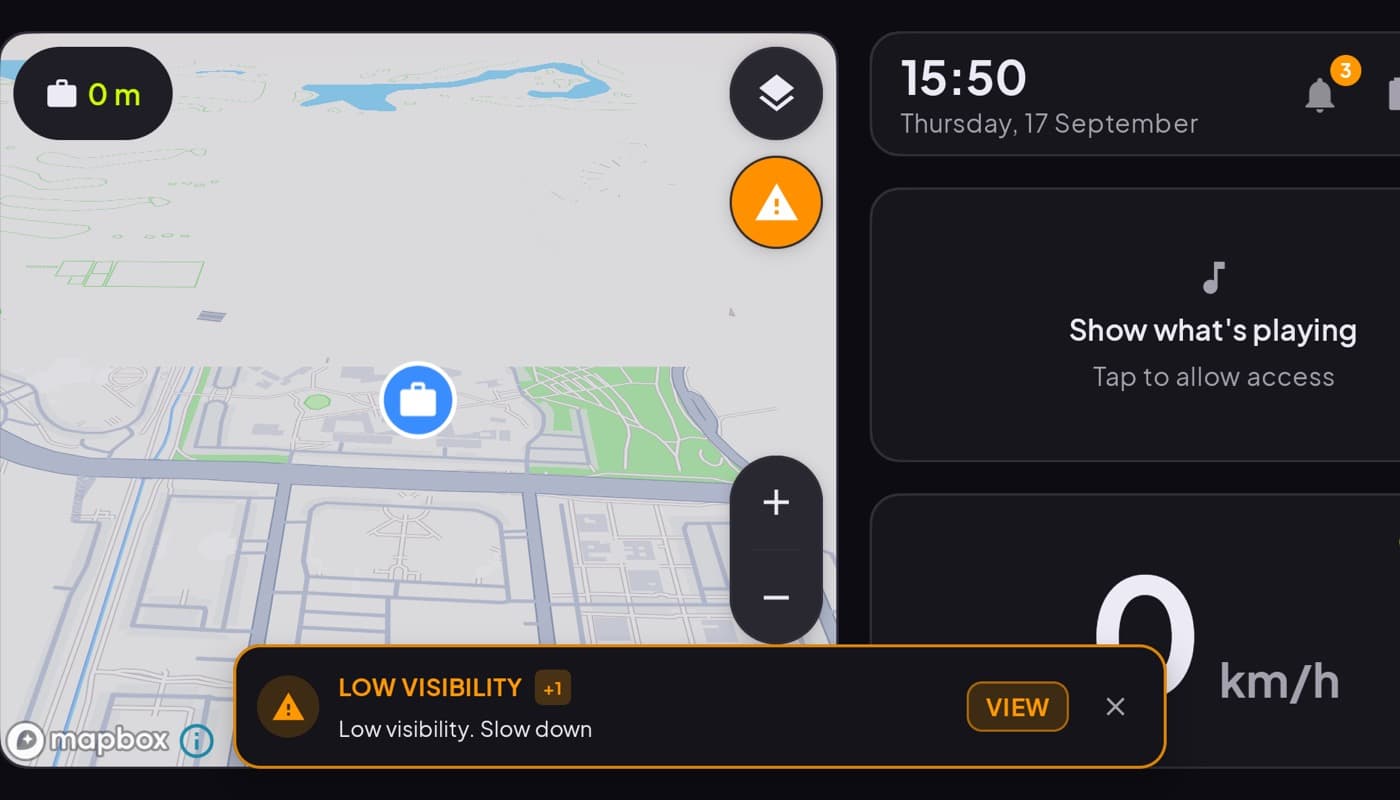
Using your phone as a speedometer is genuinely useful, whether your car's dial is broken, you are on a bike, or you just want a more accurate number. And because it reads speed from GPS, it works in anything that moves. Here is how to set it up so it is accurate and easy to read.
We make a dashboard app with a built-in speedometer (Car Dashboard), but the technique below works with any speedometer app.
Why a phone speedometer is often more accurate
Your car's speedometer is legally allowed to read high, and almost all of them do, by around 10 percent, so you never accidentally under-read your speed. Your phone, by contrast, calculates speed from GPS position and reads close to your true speed. So a phone speedometer often shows a slightly lower, more honest number than your dash.
The catch: GPS needs a view of the sky. In tunnels and covered parking garages the reading pauses until the signal comes back.
Step 1: get a speedometer or dashboard app
You have two choices:
- A single-gauge speedometer app if you want only a speed number.
- A car dashboard app if you also want the clock, maps and music on the same screen.
If you are going to mount the phone anyway, the dashboard is usually the better deal, same speedometer, plus everything else. Car Dashboard puts a big glanceable speed readout front and center.
Step 2: mount and power it
Put the phone in a steady mount, low and central, in landscape. Plug in a charger, constant GPS and a lit screen drain the battery, so keep it powered. See our full guide to turning a phone into a dashboard.
Step 3: make the number readable
- Choose a big, high-contrast digital readout.
- Turn on a dark theme so it does not glare at night.
- Switch units (mph / km/h) to match your habit.
- If you like, enable a HUD / mirror mode to reflect the number onto the windshield after dark.
Step 4: glance, do not stare
A speedometer is a glance tool. The number should register in half a second so your eyes go straight back to the road. If you find yourself watching it, mount it lower or make the digits bigger.
A note on accuracy and the law
A GPS speedometer is a good reference, but it is not a certified instrument. In a signal-poor spot it can lag for a second or two. Use it as the honest, usually-accurate number it is, and remember your legal responsibility is to drive to the conditions regardless of what any gauge says.
The short version: any phone is a better, more accurate speedometer than your car's dial, for free, thanks to GPS. Mount it, power it, make the number big, and you are set. Car Dashboard builds that speedometer into a full cockpit, coming soon on Google Play.
Frequently asked questions
- Is a phone speedometer accurate?
- Usually more accurate than your car's dial. Car speedometers are allowed to read high and typically do by about 10 percent, while a GPS phone speedometer reads close to your true speed. The exception is tunnels and covered garages, where GPS briefly drops and the reading pauses.
- Does a phone speedometer work without internet?
- Yes. Speed comes from GPS satellites, not mobile data, so a speedometer works with the internet off. You only need a connection for extras like live maps or online radio on the same screen.
- How do I keep a phone speedometer readable while driving?
- Use a big, high-contrast digital readout, turn on a dark theme for night, mount the phone low and central in landscape, and keep it charged. The goal is a number you register in a glance, half a second, so your eyes return to the road immediately.
Turn your phone into the cockpit
Car Dashboard puts a big glanceable speedometer, maps, music and hands-free calling on one dark, landscape screen, in any car. Coming soon on Google Play. Join the waitlist for launch.
Get notified the day it lands on Google Play. No spam, one email.