How to set up a car dashboard for a road trip
How to turn your phone into the perfect road-trip dashboard: offline maps, music and radio, weather along the route, and a glanceable cockpit for long drives.
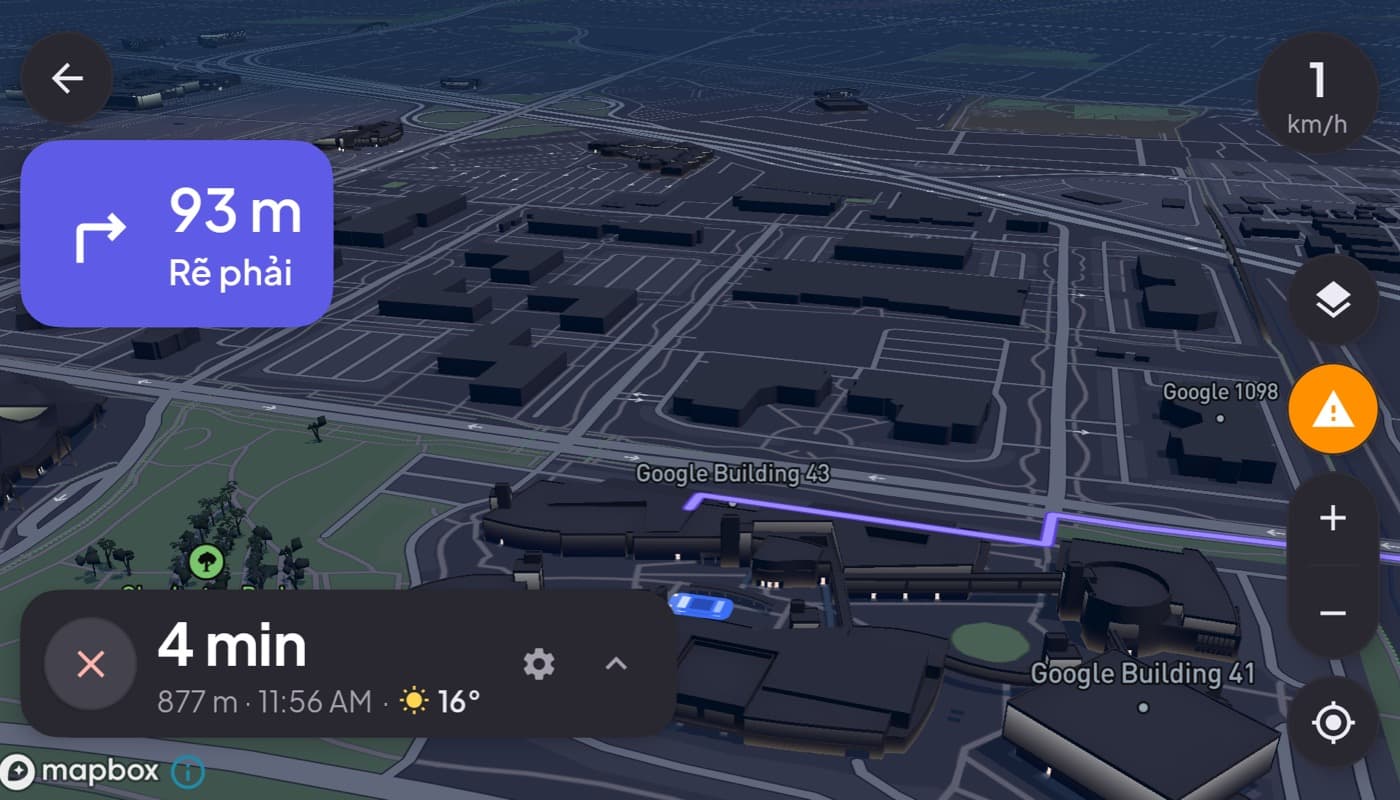
A daily commute forgives a mediocre setup. A ten-hour road trip does not. Long drives push on the parts of a phone dashboard that a short hop never touches: signal dead zones, battery and heat, and the sheer boredom that makes good music and a clear map matter. Here is how to set your phone up so it carries you the whole way.
We make a dashboard app built for long drives (Car Dashboard), so this has a stake, but the prep below helps with any setup.
Prep before you leave (this is the real work)
Road-trip comfort is won in the driveway, not on the highway:
- Download offline maps for the whole route. You will hit dead zones; offline routing keeps you moving.
- Set music and radio favorites, and download playlists for no-signal stretches. Never hunt for a station at 70mph.
- Check weather along the route, not just your destination. A storm three hours ahead changes your plan.
- Mount and power test. Confirm your dash mount holds and the charger works on a bumpy road before you commit to hours.
On the road: keep it glanceable and cool
- Glance, never browse. Everything you need, speed, next turn, music, on one screen, read in half a second. Save the fiddling for rest stops.
- Keep it charged. Screen on plus GPS plus music for hours drains fast; stay plugged in.
- Beat the heat. Long hours of sun on a working phone cause throttling. Angle it out of direct sun and near a vent, see the dash mount setup guide.
- Share driving duties with a passenger for anything that needs real input, the safest "hands-free" is another person.
Why one screen matters more on a long drive
Over ten hours, app-switching adds up to hundreds of glances away from the road. A dashboard that keeps your map, speed, music and weather on one screen removes that entirely.
Car Dashboard is built for the long haul: 3D maps with turn-by-turn, a big glanceable speedometer, weather along the way, and music and radio, all on one dark landscape screen, with a trip journal logging the miles. Set it up in the driveway and it carries you to the destination without app-juggling. Coming soon on Google Play.
How to choose your road-trip setup
- Remote route? Offline maps and downloaded playlists are non-negotiable.
- Long hours in sun? Prioritize power and heat management over everything.
- Want it all on one screen? A dashboard app removes app-switching for the whole drive.
The short version: a great road-trip dashboard is mostly about preparation, offline maps, downloaded media, weather along the route, and a powered, cool, glanceable screen. Do the prep in the driveway and the drive takes care of itself.
Frequently asked questions
- What is the best phone setup for a road trip?
- Prep before you leave: download offline maps for the whole route, save and download music and radio favorites, and check weather along the way, not just the destination. Then mount the phone securely, keep it charged and cool, and use a dashboard app so maps, speed and media stay on one screen.
- How do I keep navigation working with no signal on a road trip?
- Download offline maps for your route before you leave. GPS positioning works without a signal, so an offline navigation app can route you turn by turn through dead zones. Download music playlists too, and keep online navigation for live traffic where you do have coverage.
- Why use a car dashboard app for a road trip?
- Over a long drive, switching between maps, music and other apps adds up to hundreds of glances away from the road. A dashboard app keeps your map, speed, music and weather on one glanceable screen for the whole trip, and can log your miles in a trip journal. Car Dashboard is built for it.
Turn your phone into the cockpit
Car Dashboard puts a big glanceable speedometer, maps, music and hands-free calling on one dark, landscape screen, in any car. Coming soon on Google Play. Join the waitlist for launch.
Get notified the day it lands on Google Play. No spam, one email.