Android Auto vs a car dashboard app: which do you need?
Android Auto vs a car dashboard app: the real difference, when each one wins, and why plenty of drivers are better off with a phone-mount cockpit.
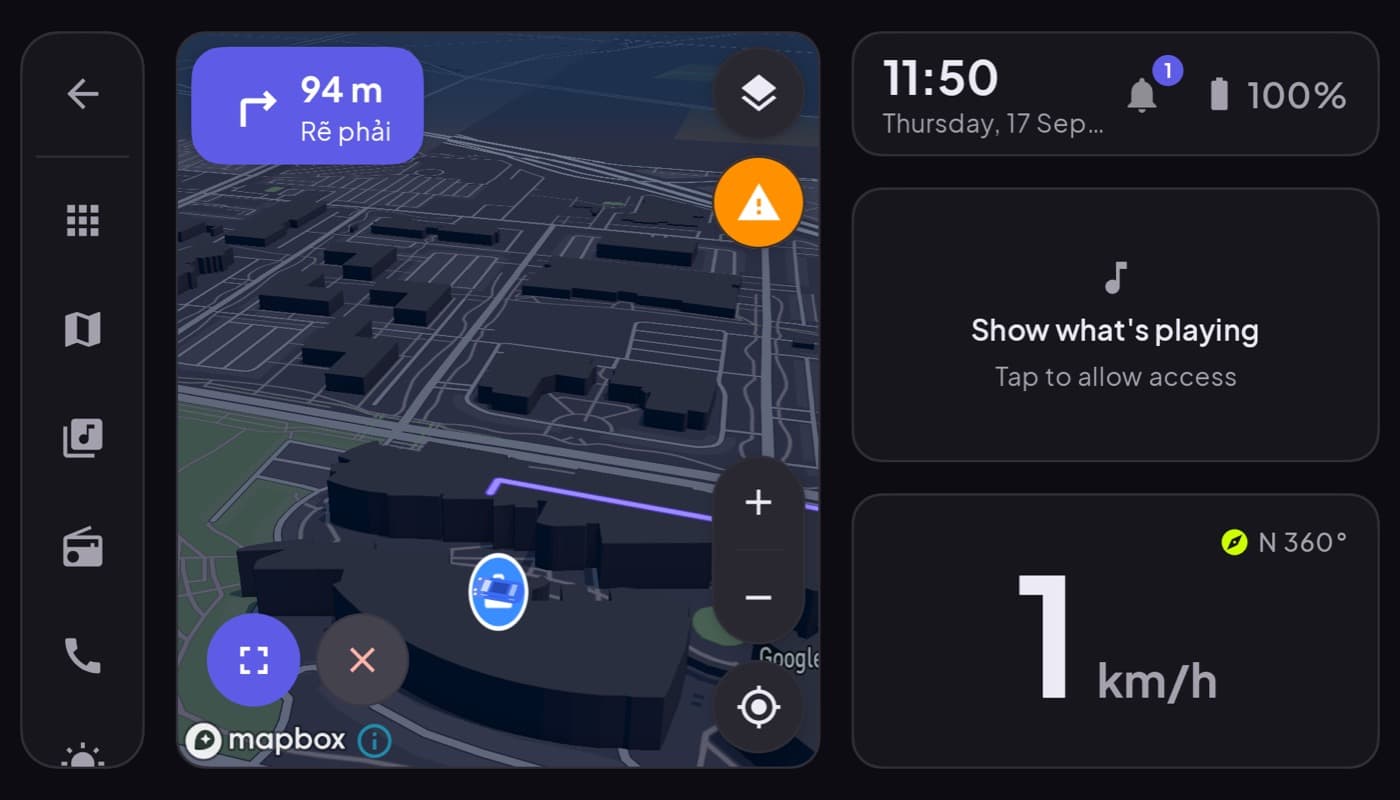
These two get lumped together, but they are not the same kind of thing, and picking the wrong one wastes your money or your time. Android Auto is a projection system. A car dashboard app is a phone app. Here is when each one actually wins.
We make a dashboard app (Car Dashboard), so this has a stake, but the split below is honest, there are real cases where Android Auto is the better answer.
The core difference
- Android Auto takes your phone's apps and draws them on your car's built-in screen. The phone goes dark; the car's display does the work. It needs a compatible head unit.
- A car dashboard app runs on the phone, mounted on your dash. The phone is the screen. It needs nothing but a mount, and works in any car.
Same goal, keep your eyes up and hands off the phone, two completely different setups.
When Android Auto wins
- Your car has a compatible screen already.
- You want everything on the car's larger built-in display.
- You are happy with Android Auto's fixed layout and its curated app list.
If that is you, Android Auto is excellent and free. Use it.
When a dashboard app wins
- Your car has no compatible screen (older car, base trim, no infotainment). This is a huge share of cars on the road, see CarPlay vs Android Auto.
- You want a custom cockpit, a big speedometer, gauges, your own layout, that Android Auto's fixed interface will not give you.
- You want OBD-II engine data on the same screen as your speed and maps.
- You want it to work in any car you drive, a rental, a partner's car, an old runabout.
Car Dashboard is built for these cases: a landscape cockpit on a mounted phone with a glanceable speedometer, clock, weather, maps, music, radio and hands-free calling, dark for night, no head unit required. It is not Android Auto and does not project to a car screen, it makes the phone the display, which is exactly what you need when there is no car screen to project to.
Can you use both?
Yes, and plenty of people do. Android Auto on the drives where you have the compatible car, a dashboard app on the phone the rest of the time, or in a second, older car. They are not mutually exclusive.
How to choose
| Your situation | Best pick |
|---|---|
| Compatible head unit, happy with fixed layout | Android Auto |
| No compatible screen | Dashboard app on a mount |
| Want a custom cockpit or gauges | Dashboard app |
| Drive many different cars | Dashboard app |
The short version: if your car can run Android Auto and you like it, keep it. If it cannot, or you want a cockpit Android Auto will not give you, a dashboard app on a mounted phone is the better tool, and works everywhere. See also do you need Android Auto for a car dashboard.
Frequently asked questions
- Do I need Android Auto if I have a car dashboard app?
- No. A car dashboard app runs on the phone itself, so it does not need Android Auto or a compatible car screen. Android Auto is only necessary if you specifically want your apps on the car's built-in display. Many drivers use a dashboard app precisely because their car can't run Android Auto.
- Is a car dashboard app better than Android Auto?
- It depends on your car. Android Auto is better if you have a compatible head unit and like its layout. A dashboard app is better if your car has no screen, if you want a custom cockpit with gauges, or if you drive many different cars, since it works on the phone in any vehicle.
- Can I use Android Auto and a dashboard app together?
- Yes. They don't conflict. You can use Android Auto in a car that supports it and switch to a phone-mount dashboard app in cars that don't, or whenever you want a custom cockpit. Many drivers keep both.
Turn your phone into the cockpit
Car Dashboard puts a big glanceable speedometer, maps, music and hands-free calling on one dark, landscape screen, in any car. Coming soon on Google Play. Join the waitlist for launch.
Get notified the day it lands on Google Play. No spam, one email.