Do you need Android Auto for a car dashboard?
Do you need Android Auto to get a car dashboard? The short answer is no. Here's why a phone-mount dashboard app works in any car without it.
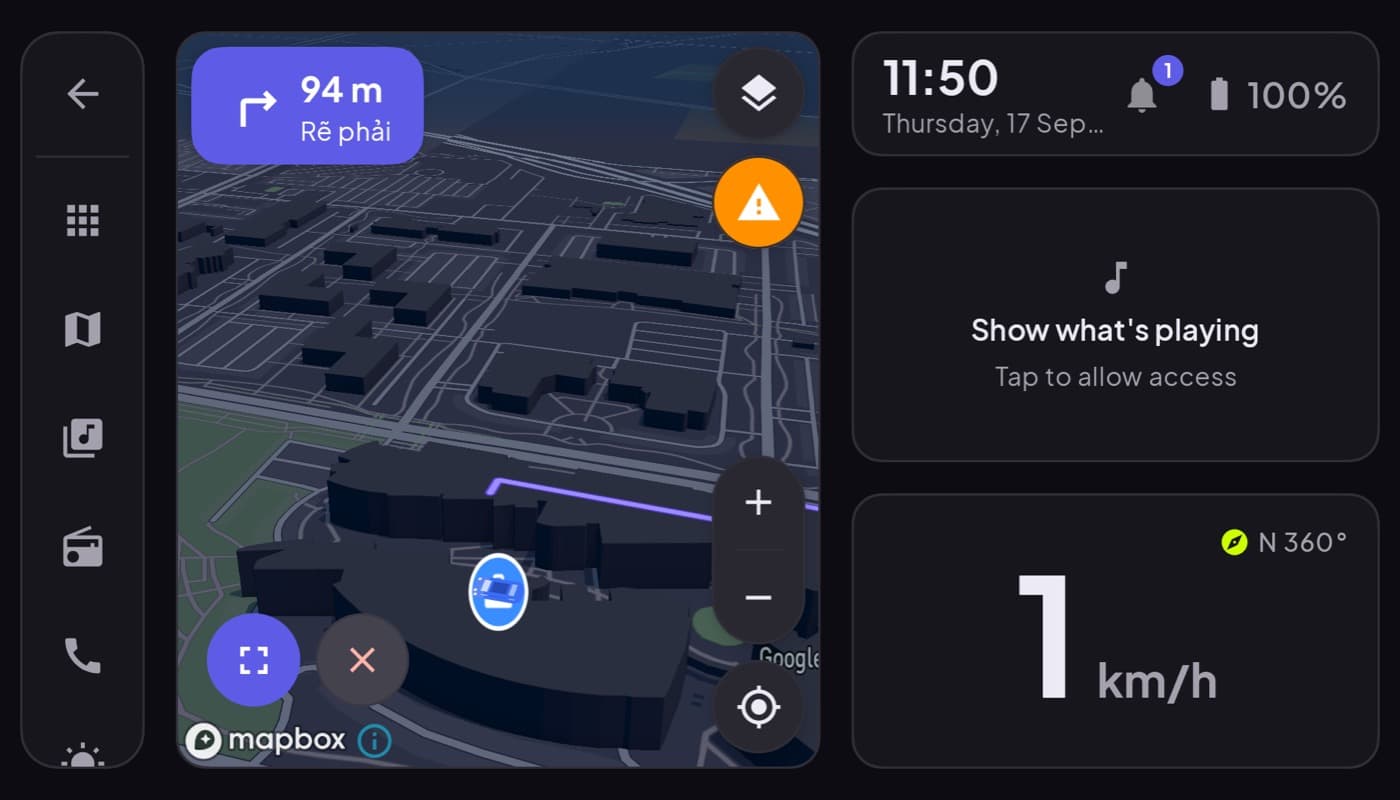
Short answer: no. You do not need Android Auto to have a car dashboard. It is a common assumption, because the two get mentioned together, but they are different things, and one does not require the other. Here is why, and what you actually need.
We make a dashboard app that needs no Android Auto (Car Dashboard), so this has a stake, but the reasoning is straightforward.
The confusion, cleared up
People assume "car dashboard = Android Auto" because Android Auto is the famous name. But:
- Android Auto is a projection system. It draws your phone's apps on your car's built-in screen and needs a compatible head unit.
- A car dashboard app runs on your phone, on a mount. The phone is the screen.
They are two different ways to get information in front of you while driving. You can use either. You do not need both, and you certainly do not need Android Auto to run a dashboard app.
Why a dashboard app needs no Android Auto
A dashboard app uses the phone's own hardware, its GPS for speed and maps, its screen for the display, its Bluetooth for audio and optional OBD. None of that touches Android Auto or the car's computer. So it works:
- In cars with no Android Auto support (older models, base trims).
- In cars with no infotainment screen at all.
- In any car you happen to be driving, including rentals and borrowed cars.
All you need is a mount and, ideally, a charger.
When Android Auto is still the better choice
To be fair to it: if your car has a compatible screen and you want everything on that larger built-in display, Android Auto is excellent and free. A dashboard app does not replace that experience, it replaces it for people who cannot have it, or who prefer a custom cockpit on the phone. See Android Auto vs a car dashboard app.
What you actually need for a car dashboard
- A phone (any modern Android phone).
- A dashboard app.
- A steady mount, low and central.
- A charger, since the screen and GPS use power.
That is the entire list. No Android Auto, no head unit, no car compatibility check.
Car Dashboard is built to run entirely on the phone this way: a landscape cockpit with a big speedometer, clock, weather, maps, music, radio and hands-free calling, in any car, no Android Auto required. Coming soon on Google Play.
The short version: Android Auto is one way to get a car display, and it needs a compatible car. A dashboard app is another way, and it needs nothing but your phone and a mount. You do not need the first to have the second.
Frequently asked questions
- Do you need Android Auto for a car dashboard app?
- No. A car dashboard app runs entirely on the phone using its own GPS, screen and Bluetooth, so it doesn't need Android Auto or a compatible car screen. You only need a phone, the app, a mount and a charger. Android Auto is a separate projection system for cars that support it.
- Can I get a car dashboard in an old car with no screen?
- Yes. That's exactly what a phone-mount dashboard app is for. Because it runs on the phone, not the car, it works in any vehicle including older cars and base trims with no infotainment screen. Just add a mount and a charger.
- What do I need for a car dashboard without Android Auto?
- A modern Android phone, a car dashboard app, a steady dash mount placed low and central, and a charger since the screen and GPS use power. No head unit or Android Auto compatibility is required. Car Dashboard is designed to run this way in any car.
Turn your phone into the cockpit
Car Dashboard puts a big glanceable speedometer, maps, music and hands-free calling on one dark, landscape screen, in any car. Coming soon on Google Play. Join the waitlist for launch.
Get notified the day it lands on Google Play. No spam, one email.