The best OBD2 apps for Android in 2026
The best OBD2 apps for Android: what they read, what dongle you need, and how live engine data fits alongside a full car dashboard on your phone.
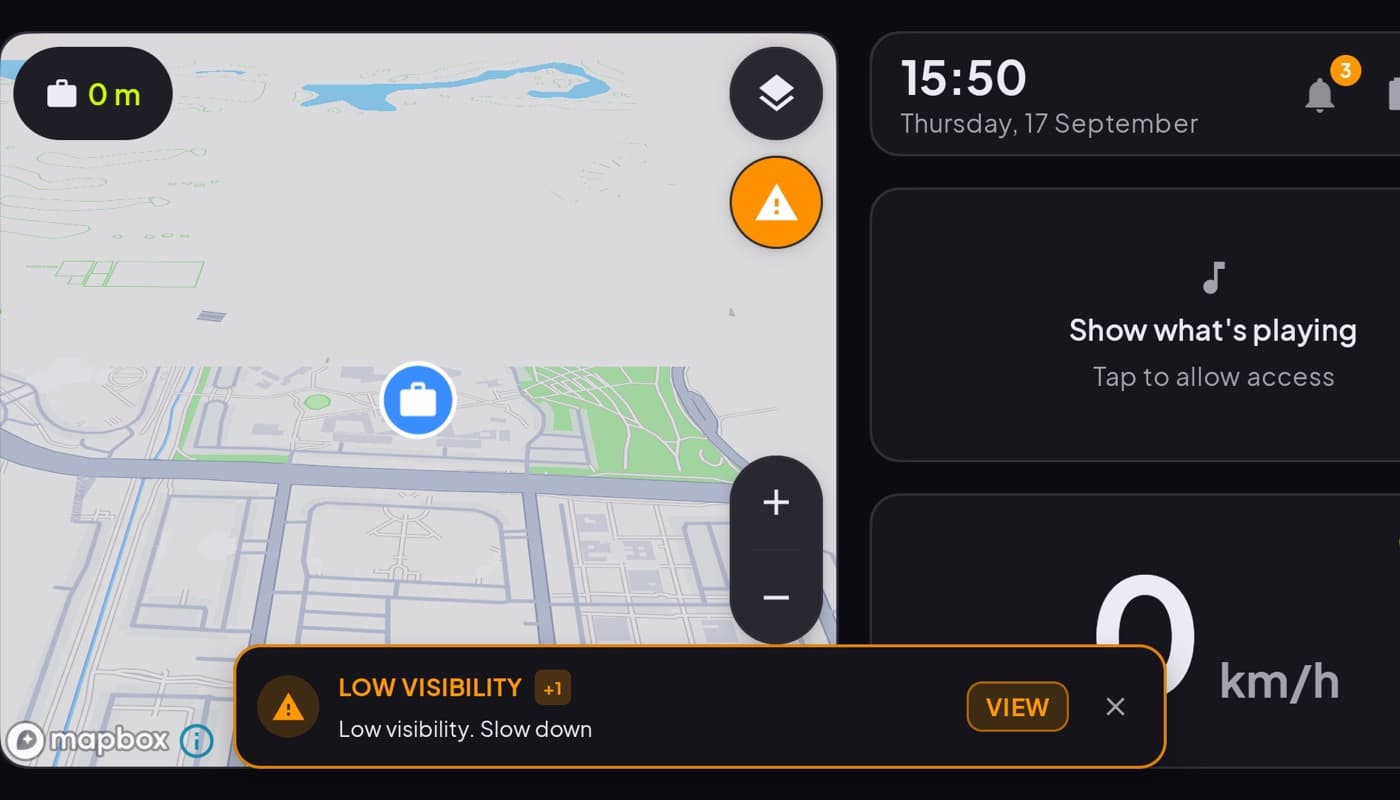
Your car already measures dozens of things it never shows you, real fuel consumption, coolant temperature, exact RPM, the reason the check-engine light is on. An OBD2 app plus a cheap dongle unlocks all of it on your phone. Here is how to pick one, and how it fits with the rest of your car dashboard.
We build a dashboard app that reads OBD data (Car Dashboard), so this has a stake in it. The mechanics below are the same whichever app you choose.
How OBD2 apps work
Every car built since roughly the late 1990s has an OBD-II port, usually under the dash near your knees. You plug in a small Bluetooth ELM327 dongle (they cost very little), pair it to your phone, and the app reads the car's live data stream.
That is the whole setup. No wiring, no mechanic. The dongle is the only hardware you need, and one works with essentially any OBD2 app.
What a good OBD2 app shows you
- Live gauges: RPM, speed, coolant temperature, intake, throttle.
- Real fuel data: actual consumption and, on many cars, remaining range, more honest than the dash estimate.
- Trouble codes: read and clear the codes behind the check-engine light, and see what they mean in plain language.
- Trip stats: distance, average consumption, cost per trip.
What to look for
- Wide car compatibility. Not every parameter is exposed on every car; a good app degrades gracefully instead of showing errors.
- Bonded-device pairing done simply. You want to pick your dongle and go, not wade through Bluetooth menus every drive.
- Clear, glanceable gauges rather than a wall of raw numbers.
- Safe permissions. An OBD app needs Bluetooth, not your location or contacts. Be wary of ones asking for more than the job needs.
OBD data as part of the dashboard
Standalone OBD apps are great for diagnostics, but if you want engine data while you drive, it belongs on your main driving screen, not in a separate app you switch to.
Car Dashboard pairs a Bluetooth ELM327 dongle and shows live OBD data, including real speed and fuel, right in the cockpit next to the speedometer, maps and media. It uses only the Bluetooth permission it needs to talk to a bonded dongle, nothing more. When no dongle is connected, the dashboard falls back to GPS speed, so it still works. Coming soon on Google Play.
How to choose
- Just diagnosing a warning light? A dedicated OBD2 reader app and a dongle will read and clear codes.
- Want live engine data every drive? A dashboard app with OBD built in keeps it on your driving screen.
- No dongle yet? You can still get GPS speed and a full cockpit; add the dongle later for engine data.
The short version: for a few dollars of hardware, any car since the late '90s can tell your phone what it is really doing. Pick an app with wide compatibility and honest permissions, or a dashboard that folds the data into your main screen. Car Dashboard does the latter.
Frequently asked questions
- What is the best OBD2 app for Android?
- The best OBD2 app has wide car compatibility, simple Bluetooth pairing to an ELM327 dongle, clear glanceable gauges, and asks only for the Bluetooth permission it needs. If you want engine data while driving rather than just for diagnostics, a dashboard app with OBD built in, like Car Dashboard, keeps it on your main screen.
- What hardware do I need for an OBD2 app?
- Just a Bluetooth ELM327 OBD-II dongle, which is inexpensive and plugs into the OBD-II port under your dash. Any car built since roughly the late 1990s has that port. One dongle works with essentially any OBD2 app.
- Can an OBD2 app show real fuel consumption?
- Yes. Because it reads the car's own sensors, an OBD2 app can show actual fuel consumption and, on many cars, a more honest remaining range than the dashboard estimate. Car Dashboard surfaces this live in the cockpit when a dongle is connected.
Turn your phone into the cockpit
Car Dashboard puts a big glanceable speedometer, maps, music and hands-free calling on one dark, landscape screen, in any car. Coming soon on Google Play. Join the waitlist for launch.
Get notified the day it lands on Google Play. No spam, one email.