The best offline GPS navigation apps for Android (2026)
The best offline GPS navigation apps for Android: how offline maps work, when you need them, and how navigation fits into a full car dashboard.
GPS itself never needs the internet, your phone gets its position from satellites, free, anywhere. What needs data is the map and the routing. Offline navigation apps solve that by letting you download maps ahead of time, so you can navigate through dead zones, tunnels, and foreign countries without a signal or roaming bill. Here is how to choose.
We make a dashboard app with navigation built in (Car Dashboard), so this has a stake, but the offline basics apply to any app.
Why offline navigation matters
- Rural and remote drives, where coverage drops for miles.
- Tunnels and mountains, where signal disappears.
- Foreign travel, where roaming is expensive, download the country's map on Wi-Fi first.
- Patchy networks, where online maps stall mid-route.
Because GPS positioning works offline, an offline map app can still show where you are and guide you turn by turn, even with mobile data completely off.
What you give up offline
Offline is not quite the same as online. Without data you typically lose:
- Live traffic and rerouting around jams.
- Live search for places (though offline apps index a lot locally).
- Real-time road closures.
For a known route in a dead zone, none of that matters. For a rush-hour commute, live traffic is worth having, so many people use online navigation daily and keep offline maps as a backup.
What to look for
- True offline routing, not just an offline map you can pan but not navigate.
- Region downloads by country or state, so you are not storing the whole planet.
- Clear voice guidance you can follow without looking.
- Reasonable storage use, offline maps can be large; download only what you need.
Navigation as part of the dashboard
A map is only half of driving. You also want your speed, the time, and your music, without switching apps at every junction. That is what a car dashboard is for.
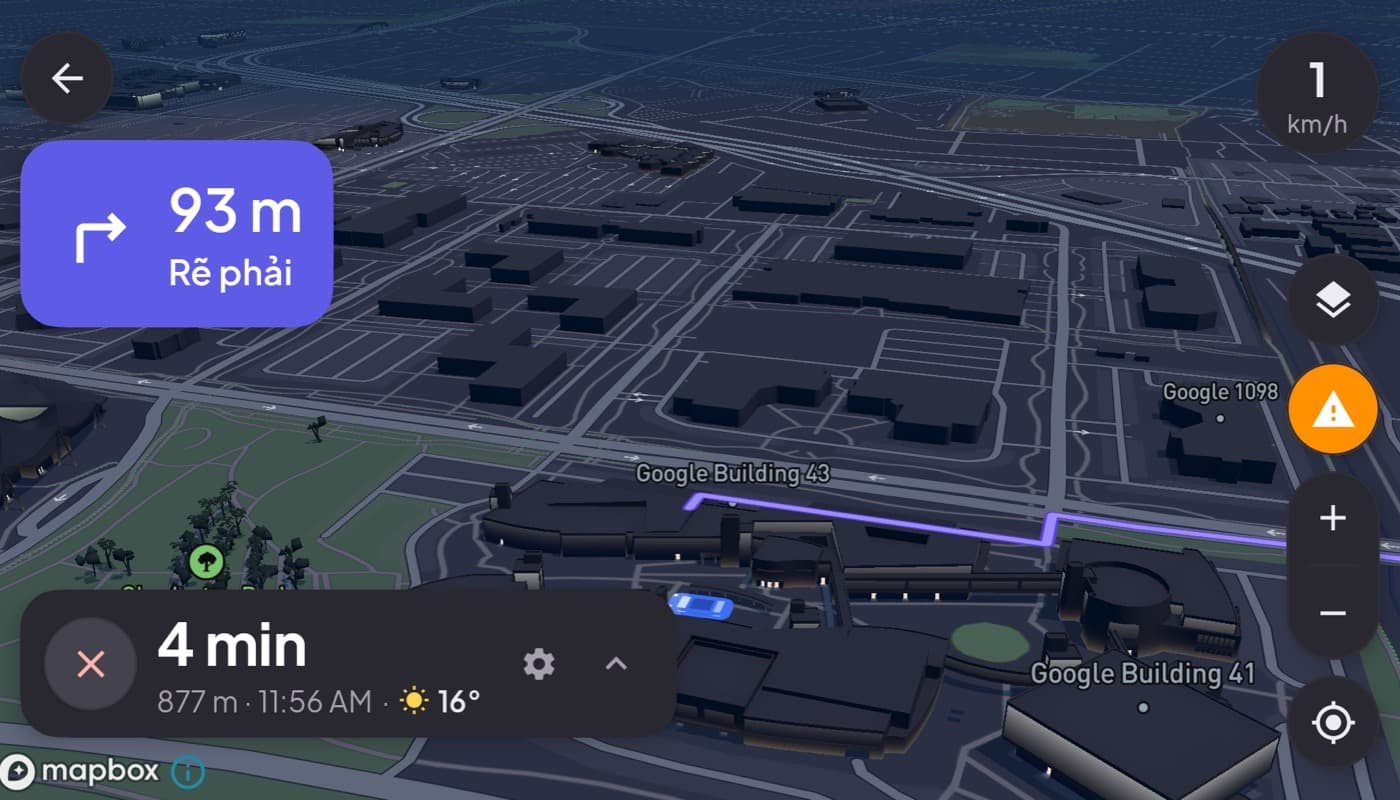
Car Dashboard puts turn-by-turn navigation with 3D maps right in the cockpit, next to a big glanceable speedometer and your media, on one dark landscape screen. Set your route, and the map, your speed and your music stay on one screen the whole drive. Coming soon on Google Play.
How to choose
- Drive through dead zones or travel abroad? Download offline maps for those areas.
- Commute in traffic? Use online navigation for live traffic, keep offline as backup.
- Want maps, speed and music on one screen? A dashboard app with navigation built in beats app-switching, see how to turn your phone into a car dashboard.
The short version: GPS is always free and offline; only the map and live traffic need data. Download the maps you need ahead of time, and put navigation on the same screen as your speed and music for the cleanest drive.
Frequently asked questions
- Do GPS navigation apps work without internet?
- Yes, if they support offline maps. GPS positioning always works without internet because it comes from satellites. As long as you download the map region in advance, an offline navigation app can route you turn by turn with mobile data off. You only lose live traffic and online search.
- What is the best offline navigation app for Android?
- The best offline GPS app offers true offline routing (not just a viewable map), region-by-region downloads to save storage, and clear voice guidance. If you want navigation alongside your speedometer and music, a dashboard app with maps built in keeps everything on one screen.
- Should I use online or offline navigation for my commute?
- For a daily commute in traffic, online navigation is usually better because it reroutes around live jams. Offline maps shine for rural drives, tunnels, and foreign travel where signal is unreliable. Many drivers use online daily and keep offline maps downloaded as a backup.
Turn your phone into the cockpit
Car Dashboard puts a big glanceable speedometer, maps, music and hands-free calling on one dark, landscape screen, in any car. Coming soon on Google Play. Join the waitlist for launch.
Get notified the day it lands on Google Play. No spam, one email.