How to set up a car phone mount the right way
How to set up a car phone mount for a dashboard setup: choosing a mount type, the safest position, cable routing, and avoiding overheating.
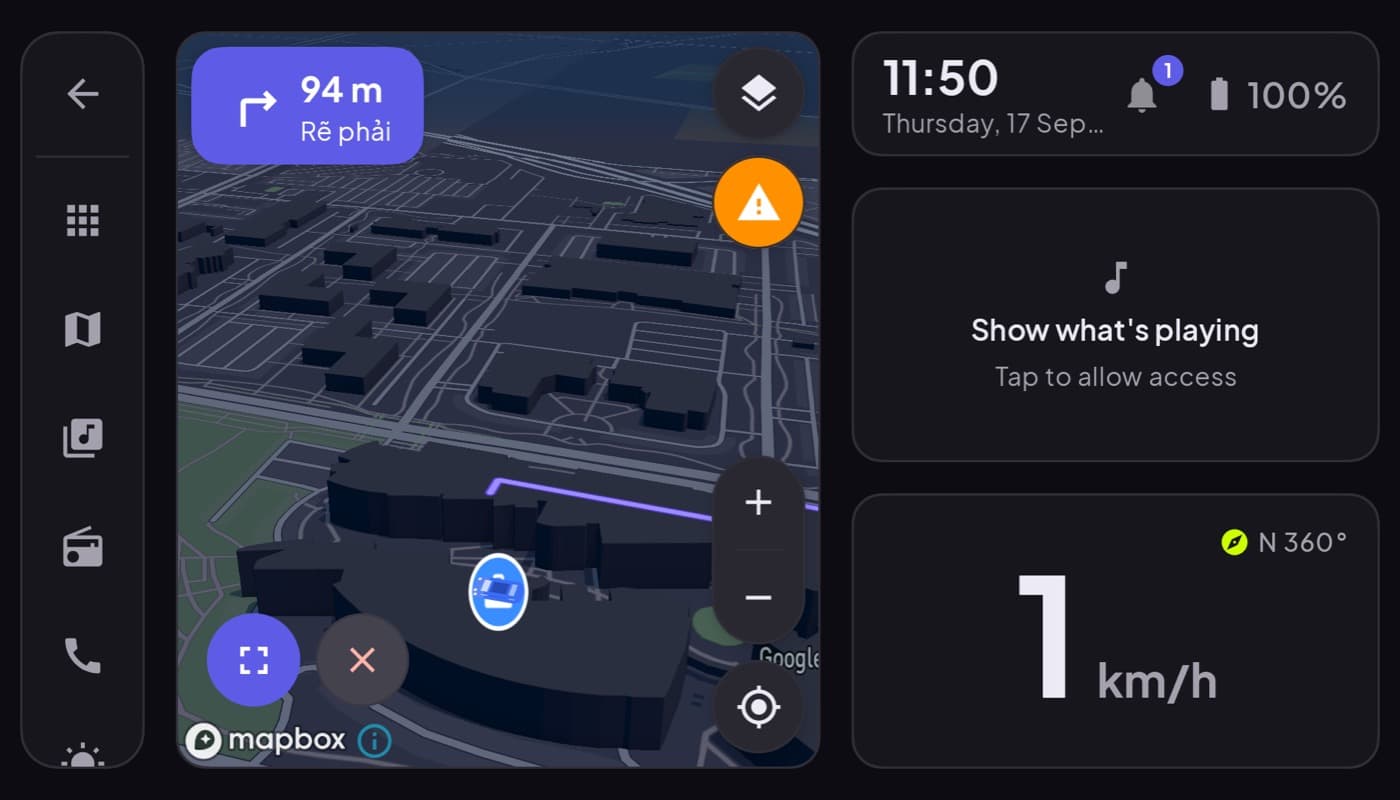
If you are turning your phone into a car dashboard, the mount is not an accessory, it is the foundation. A great app on a wobbly mount is a bad experience, hard to read, distracting, and stressful. Here is how to set the mount up so the whole thing feels solid and safe.
We make the software side (Car Dashboard); this guide is about the hardware and placement that make it work.
Step 1: pick the right mount type
| Mount type | Pros | Cons |
|---|---|---|
| Suction (windshield/dash) | Strong hold, adjustable | Can block view if placed high |
| Vent clip | Easy, cheap, low | Blocks a vent, can wobble |
| Adhesive dash pad | Very steady, low profile | Semi-permanent |
| CD-slot / dash mount | Rock-steady, central | Only if you have the slot |
For a dashboard setup you want steady and low. A firm adhesive or dash mount low and central usually beats a tall windshield suction mount that sits in your sightline.
Step 2: position it low and central
This is the safety-critical part. Mount the phone:
- Low, near the top of the center console, not high on the windshield.
- Central, so a glance barely moves your eyes off the road.
- Landscape, angled slightly toward you.
- Never where it blocks your view of the road, mirrors, or airbag deployment zones.
A well-placed dashboard is a half-second glance, like checking a normal gauge cluster. A badly placed one makes you turn your head, which is exactly what you are trying to avoid.
Step 3: route the charger cable
Dashboard apps keep the screen on and use GPS, so the phone needs charging. Run the cable from the mount to a 12V or USB port and tuck it along the dash edge so it does not dangle near the gear shift, pedals, or your knee. A loose cable is a genuine hazard.
Step 4: beat the heat
The phone's worst enemy in a dashboard role is heat: screen on, GPS running, sun beating through the windscreen. To keep it from throttling or overheating:
- Angle it out of direct sun where you can.
- Use a vent-adjacent position so airflow reaches it.
- On very hot days, a lower screen brightness helps.
Step 5: test before you rely on it
Before your first real drive, take a short trip around the block. Check that the mount holds through bumps, the phone charges, the dashboard app auto-starts, and you can read the speedometer at a glance. Adjust the angle until it is effortless.
The short version: buy a steady mount, place it low and central, route the cable tidily, and keep the phone cool. Get the mount right and a dashboard app like Car Dashboard turns your phone into a cockpit that beats many built-in systems. Coming soon on Google Play.
Frequently asked questions
- Where is the best place to mount a phone in the car?
- Low and central, near the top of the center console, in landscape orientation angled slightly toward you. This keeps a glance close to the road and never blocks your view of traffic, mirrors or airbag zones. Avoid high windshield placements that sit in your sightline.
- What kind of phone mount is best for a dashboard app?
- One that holds the phone rock-steady in landscape and sits low. A firm adhesive dash mount or a sturdy CD-slot mount usually beats a tall windshield suction mount. Steadiness matters most, a wobbly mount makes the dashboard hard to read and more distracting.
- How do I stop my phone overheating as a dashboard?
- Keep it out of direct sun, position it near a vent for airflow, lower the screen brightness on hot days, and make sure it's charging rather than working hard on a low battery. Heat comes from the screen, GPS and sun together, so reducing any of them helps.
Turn your phone into the cockpit
Car Dashboard puts a big glanceable speedometer, maps, music and hands-free calling on one dark, landscape screen, in any car. Coming soon on Google Play. Join the waitlist for launch.
Get notified the day it lands on Google Play. No spam, one email.