The best Android Auto alternatives in 2026
Android Auto needs a compatible car. Here are the best Android Auto alternatives when you do not have one, from dashboard launchers to phone-mount cockpits.
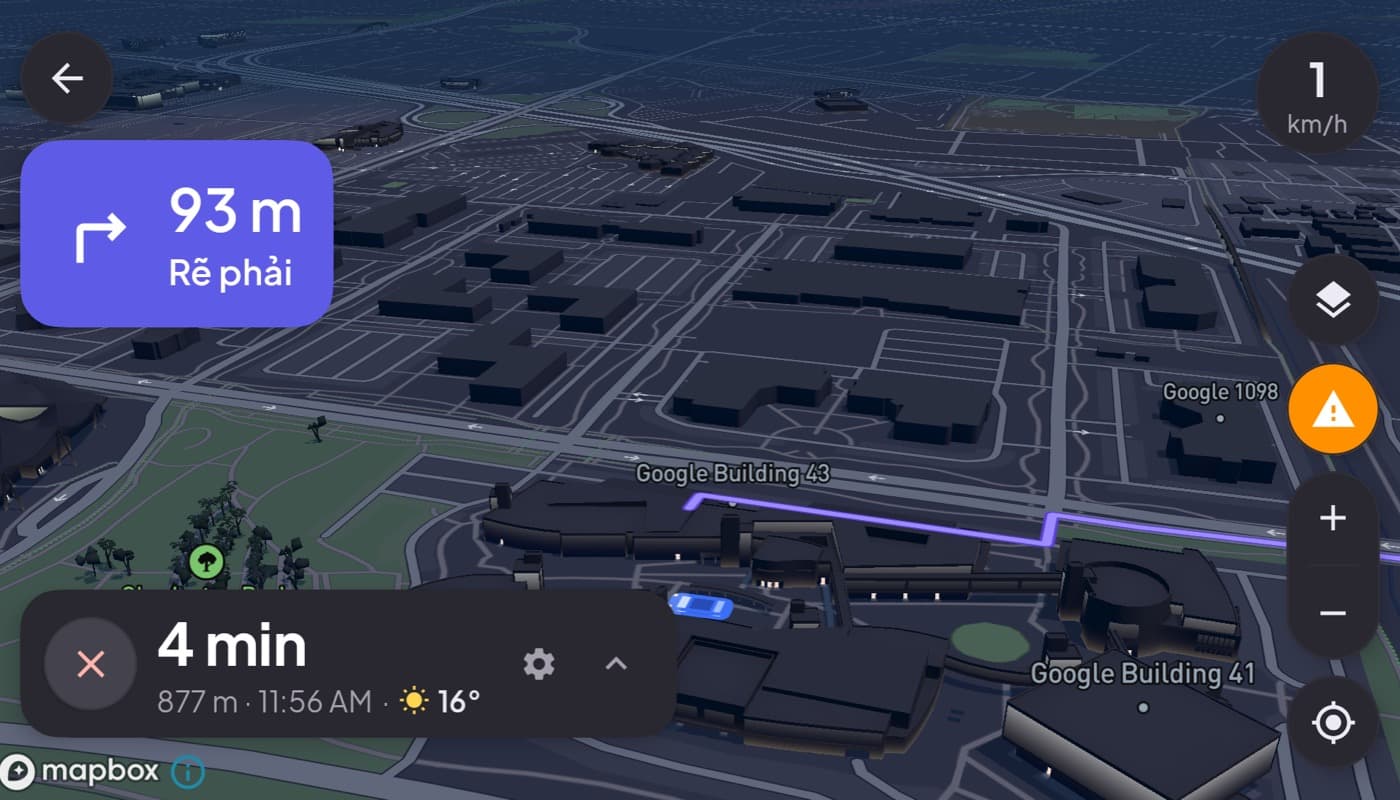
Android Auto is great when it works. The problem is the "when." It needs a compatible car head unit, and plenty of cars, older ones, base trims, and anything without a modern infotainment screen, simply do not have one. If you have hit "Android Auto is not supported on this device" or you just do not have a screen to plug into, you need an alternative.
We make one of the options here (Car Dashboard), so this is a roundup with a stake in it. Here is an honest look at what actually replaces Android Auto.
First, what are you replacing?
Android Auto does two jobs: it puts a safe, big-tile interface in front of you, and it puts that interface on your car's screen. Most alternatives can do the first job easily. The second job, getting onto the car's built-in screen, is the hard part, and it is where the alternatives really differ.
The two kinds of alternative
| Approach | What it does | Best when |
|---|---|---|
| Phone-screen dashboard | Turns a mounted phone into the cockpit | Your car has no compatible screen |
| Wireless AA adapter | Adds wireless Android Auto to a wired head unit | You already have Android Auto, just wired |
If your car has no Android Auto screen at all, adapters do not help, they need a head unit that already supports it. Your real alternative is the first camp: a dashboard app on a mounted phone.
The best phone-screen alternative
A dashboard launcher makes your phone the display. The good ones give you everything you actually used Android Auto for:
- A big, glanceable speedometer and clock
- 3D maps with turn-by-turn
- Music and internet radio
- Hands-free calling with big buttons
- A dark, night-safe design
Car Dashboard is exactly this: a landscape-first cockpit for a mounted Android phone, with the essentials one tap away and a dark instrument-cluster look. No head unit required, because your phone is the screen. It is coming soon on Google Play.
The honest note: it does not project onto your car's built-in display, and it is not Android Auto. It replaces the experience of Android Auto for people who do not have the car for Android Auto. If you have a compatible head unit and just want wireless, an adapter is the simpler fix.
How to choose
- No Android Auto screen in the car? Use a phone-screen dashboard app like Car Dashboard on a good mount.
- Have a wired Android Auto head unit? A wireless adapter is the cheapest upgrade.
- Want more control and a custom cockpit than Android Auto allows? A dashboard launcher gives you a layout Android Auto never will, see do you need Android Auto for a car dashboard.
The short version: if your car cannot run Android Auto, stop trying to force it. A dashboard app on a mounted phone gives you the same essentials, and it works in any car. Ours is coming soon, join the waitlist for launch.
Frequently asked questions
- What is the best alternative to Android Auto?
- If your car has no compatible screen, the best alternative is a dashboard app on a mounted phone, which turns the phone into the cockpit with maps, media, speed and hands-free calling. If you already have a wired Android Auto head unit, a wireless adapter is a simpler upgrade.
- Can I use Android Auto without a compatible car?
- Not on the car's screen, Android Auto requires a compatible head unit. But you can get the same essentials with a phone-screen dashboard app like Car Dashboard, mounted on your dash, in any car.
- Is a dashboard app better than Android Auto?
- Neither is strictly better, they solve different problems. Android Auto puts a safe interface on your car's screen. A dashboard app puts a customizable cockpit on your phone, which is the only option when your car has no compatible display.
Turn your phone into the cockpit
Car Dashboard puts a big glanceable speedometer, maps, music and hands-free calling on one dark, landscape screen, in any car. Coming soon on Google Play. Join the waitlist for launch.
Get notified the day it lands on Google Play. No spam, one email.