Driving safely with your phone as a dashboard
How to use a phone dashboard safely: mounting, glanceable design, night dimming, setting up before you drive, and the habits that keep your eyes on the road.
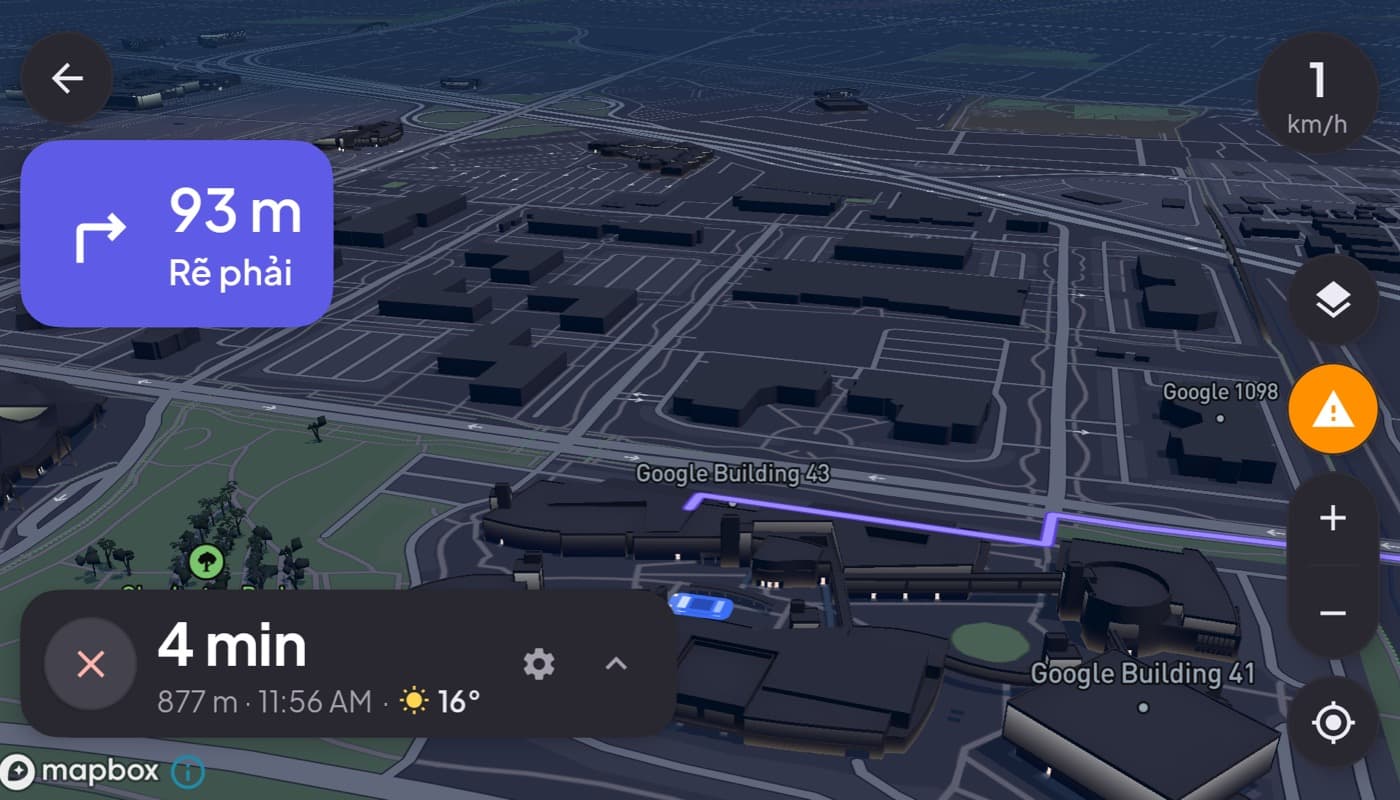
A phone in the car can be a hazard or a help, and the difference is almost entirely in how you set it up. Done wrong, it is a bright, fiddly distraction. Done right, a phone dashboard is safer than glancing between a small factory display and your phone, because everything you need is in one glanceable place. Here is how to do it right.
We design a dashboard app around exactly these principles (Car Dashboard), so we have a stake, but this is safety advice first.
Why a good dashboard is safer, not riskier
The danger with phones in cars is looking away for too long. A good dashboard app attacks that directly:
- One screen instead of app-switching, so you look once, not five times.
- Big, high-contrast readouts you register in half a second.
- Hands-free controls so your hands stay on the wheel.
The problem is never "a screen in the car." It is a screen that makes you stare. Fix the staring and you fix the risk.
The rules that keep it safe
1. Mount it low and central
Position the phone low, toward the center of the dash, in landscape, never high on the windshield or blocking your view. A glance should barely move your eyes off the road. See our dash mount guide.
2. Set up before you drive
Enter your destination, pick your music or radio, and choose your units while parked. The moving car is not the place to type or search. A dashboard should present information, not invite input.
3. Glance, never browse
This is the whole discipline. A dashboard is a glance tool, like your factory gauges. Read the speed or the next turn in half a second and look back at the road. If you catch yourself reading or scrolling, that is the danger, pull over for anything that needs more than a glance.
4. Go dark at night
A bright white screen at night wrecks your night vision and dazzles you. A proper dashboard uses a dark, dimmed, high-contrast theme after dark, light text on a black background, so it informs without blinding. This is not just aesthetics; it is a real safety feature.
5. Use hands-free for everything you can
Calls, music, and navigation prompts should be voice- or big-button controlled so your hands stay on the wheel and your eyes on the road.
How Car Dashboard is built for this
Car Dashboard is designed around glanceability: a big speedometer and clock, high-contrast tiles, a dark instrument-cluster theme for night driving, and hands-free-friendly controls, all on one screen so you are not app-switching. It does not require a login to start, so you are driving in seconds, not tapping. Coming soon on Google Play.
The honest caveat
No app makes distracted driving safe. A dashboard reduces the reasons to look away and makes each glance shorter, but the responsibility is still yours: set it up parked, keep glances brief, and when in doubt, pull over. Used that way, a phone dashboard is a genuine safety upgrade over juggling a phone loose in the car.
Frequently asked questions
- Is using your phone as a car dashboard safe?
- It can be safer than a loose phone if set up correctly: mount it low and central, use a glanceable app with big high-contrast readouts, set your destination and music while parked, and only glance, never browse. The danger is looking away too long, which a good dashboard is designed to minimize.
- Why does a car dashboard need a dark night theme?
- A bright white screen at night dazzles you and hurts your night vision. A dark, dimmed, high-contrast theme, light text on black, shows the information without blinding you, which is why a proper night mode is a real safety feature, not just a style choice.
- How do I avoid distraction with a phone dashboard?
- Follow the glance rule: set everything up while parked, then only glance at the screen, half a second, and look back at the road. Use hands-free controls for calls and music, mount the phone low and central, and pull over for anything that needs real input.
Turn your phone into the cockpit
Car Dashboard puts a big glanceable speedometer, maps, music and hands-free calling on one dark, landscape screen, in any car. Coming soon on Google Play. Join the waitlist for launch.
Get notified the day it lands on Google Play. No spam, one email.