The best car connect apps for Android in 2026
"Car connect" means different things: dashboards, OBD readers, phone-to-car media. Here is what the best car connect apps actually do, honestly explained.
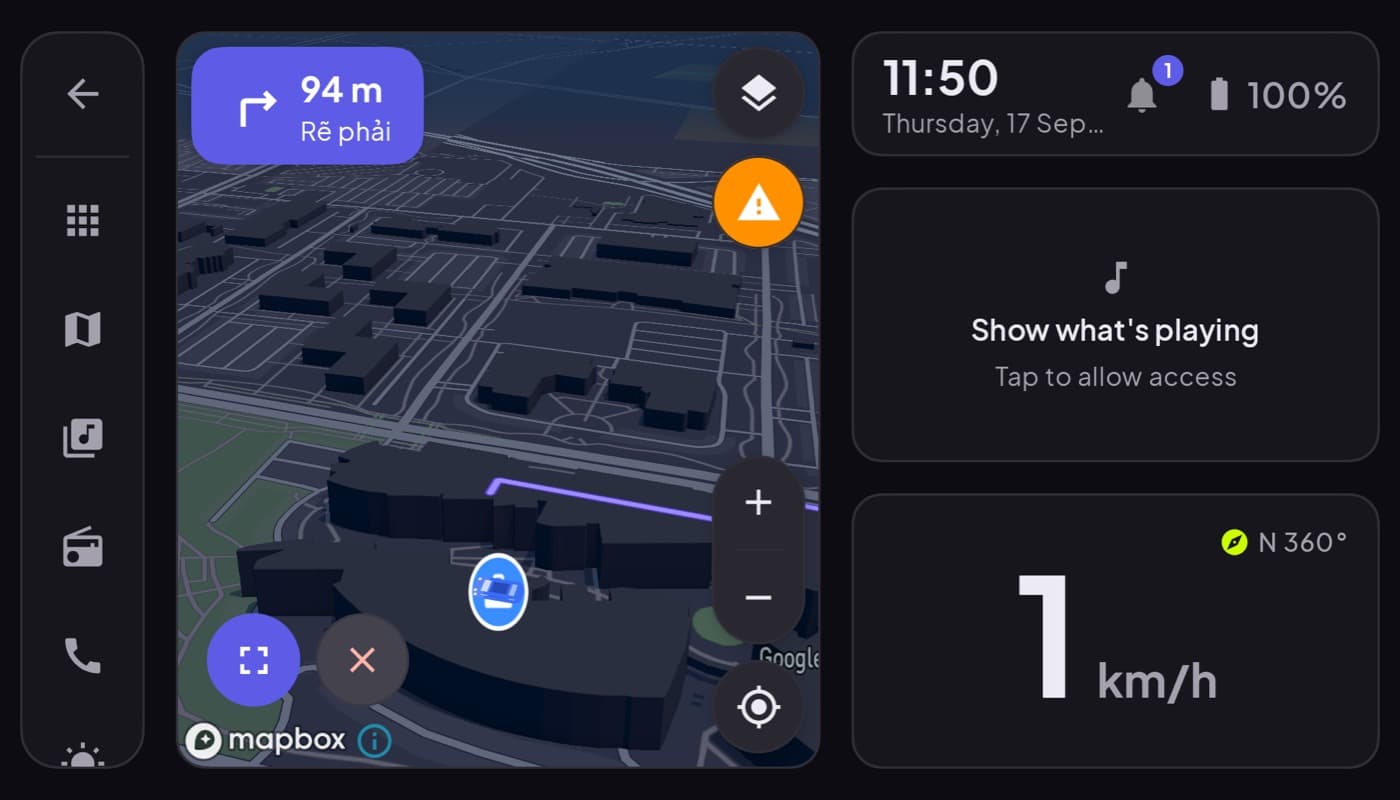
"Best car connect app" is one of the vaguest things you can search, because "connect" means at least three different things. Before you download anything, it is worth knowing which one you actually want, otherwise you end up with an app that connects to the wrong thing.
We build a dashboard app (Car Dashboard) that covers one of these jobs, so we have a stake here. We will be honest about the other two, because the wrong download is a waste of your time.
The three things "car connect" can mean
| What you want | What "connect" means | The right kind of app |
|---|---|---|
| Your phone useful in the car | Mount it and show a cockpit | Dashboard launcher |
| Read engine data | Talk to an OBD-II dongle | OBD reader app |
| Phone media on the car screen | Project to a head unit | Android Auto / CarPlay |
Almost everyone searching "car connect" wants the first one, a phone that becomes a useful driving display, but the term collides with the other two, so let us take them in turn.
1. Connect your phone as a dashboard
This is the common case: you mount your phone and want it to do something, show your speed, the time, a map, your music, instead of a lock screen. That is a dashboard launcher. It does not "connect" to the car at all in a wired sense, it just becomes the display.
Car Dashboard is this: a landscape cockpit with a big glanceable speedometer, clock, weather, maps, music and hands-free calling, dark for night driving, no login. If your goal is "make my mounted phone useful," this is the category, and ours is coming soon on Google Play.
2. Connect to your car's computer (OBD-II)
If "connect" means reading live engine data, RPM, coolant temperature, real fuel consumption, trouble codes, then you want an OBD-II app plus a cheap Bluetooth ELM327 dongle that plugs into the port under your dash. This genuinely connects to the car's computer. Car Dashboard can show OBD data too when a dongle is paired.
3. Connect phone media to the car's screen
If your car has a built-in touchscreen and you want your phone's maps and music on that screen, that is projection, Android Auto or Apple CarPlay. It needs a compatible head unit. A dashboard app does not do this; it makes the phone the screen, not the car. If you specifically want the car's display, see our CarPlay alternatives and Android Auto alternatives.
How to choose
Answer one question: what do you want to connect to?
- To nothing, you just want your phone useful on the mount → a dashboard app.
- To the car's engine computer → an OBD-II app and a dongle.
- To the car's built-in screen → Android Auto or CarPlay.
The short version: "car connect" is three jobs wearing one search term. Pick the job first. If it is "make my phone a proper driving display," Car Dashboard is built for exactly that, and it is coming soon.
Frequently asked questions
- What is the best car connect app?
- It depends what you want to connect. To make a mounted phone useful, a dashboard launcher is best. To read engine data, an OBD-II app with a Bluetooth dongle. To put phone media on the car's built-in screen, Android Auto or CarPlay. Decide the job first, then pick the matching app.
- How do I connect my phone to my car?
- Three common ways: mount it and run a dashboard app so the phone is the display; pair a Bluetooth OBD-II dongle to read engine data; or, if your car has a compatible screen, use Android Auto or CarPlay to project media onto it. They are different setups for different goals.
- Does a dashboard app connect to my car?
- Not in a wired sense. A dashboard app like Car Dashboard turns your mounted phone into the display using the phone's own GPS and sensors. It can optionally connect to a Bluetooth OBD-II dongle for engine data, but it does not need any car connection to show your speed, maps and media.
Turn your phone into the cockpit
Car Dashboard puts a big glanceable speedometer, maps, music and hands-free calling on one dark, landscape screen, in any car. Coming soon on Google Play. Join the waitlist for launch.
Get notified the day it lands on Google Play. No spam, one email.