How to set up an M3U playlist on Android (2026)
A step-by-step guide to adding an M3U playlist to an IPTV player on Android, attaching an EPG, and fixing the usual first-time snags.

An M3U playlist is the most common way to load channels into an IPTV player. It is a plain list that names each channel and points to its stream. This guide walks through adding one on Android, attaching a program guide, and clearing the snags people usually hit the first time.
If you are new to the terms here, our plain-language guide to IPTV covers the basics first.
Before you start
You need two things:
- Your M3U source. This is either a URL ending in something like
.m3uor.m3u8, or an .m3u file saved on your device. You get this from whoever provides your playlist. - An IPTV player. This guide uses Streamblix, which is free on Google Play and needs no account to start.
Step 1: Add the playlist by URL
The tidiest way to add a playlist is by link, because it can refresh itself later.
- Open Streamblix and choose add a source.
- Paste your M3U URL into the link field.
- Give it a name you will recognise, then confirm.
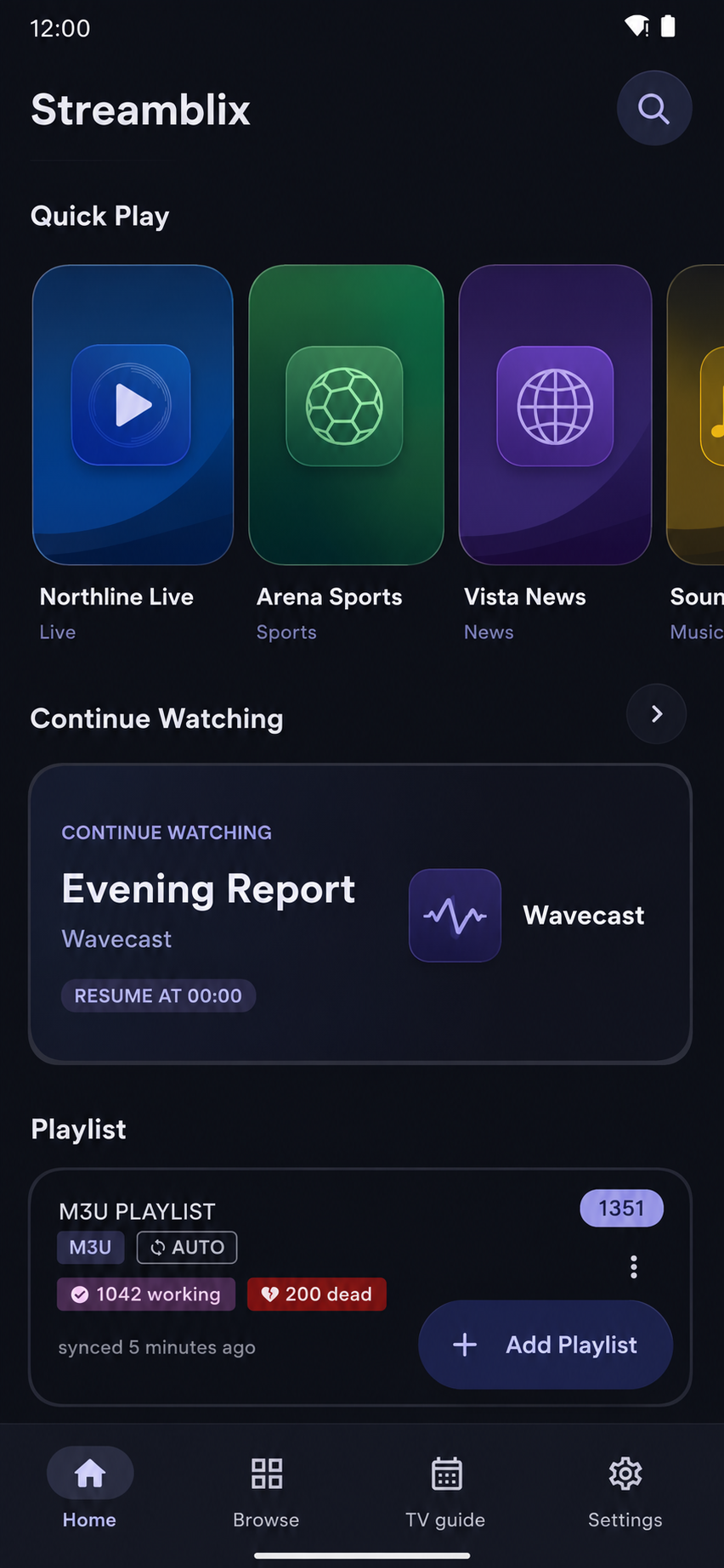
Streamblix reads the list and fills your channels in. If you copied the link before opening the app, it offers to paste it for you. One tap and you are done.
Step 2: Or add a playlist file
If your playlist is a file rather than a link:
- Save the
.m3ufile to your device. - Open it and choose Streamblix when Android asks which app to use, or use add a source inside the app and pick the file.
A file cannot refresh itself the way a URL can, so if your provider updates the list often, prefer the URL method.
Step 3: Attach a program guide (EPG)
A playlist gives you channels; an EPG gives you what is on now and next. If you have an XMLTV guide link:
- Open the source you just added and choose attach EPG.
- Paste the XMLTV URL and confirm.
- Streamblix matches guide data to your channels automatically, and can keep it in sync on a schedule.
Not sure what this is for? See what an EPG is.
Step 4: Start watching
Your channels now appear in the guide. Tap one to play. Playback runs full screen with no ads interrupting it, and keeps going in the background if you switch apps.
When something does not load
First-time problems almost always come from the source, not the app:
- Nothing appears after adding the link. Re-check the URL for a missing character, and confirm it opens in a browser.
- Channels list but will not play. The individual streams may be offline, or your provider limits how many devices connect at once.
- You are not sure which channels are dead. Streamblix includes Playlist Doctor, which scans your list and flags what is unreachable, so you are not guessing. Our guide on fixing a playlist that will not work goes deeper.
That is it
Add a source, attach a guide, press play. Once your playlist is in, everything else (the guide, reminders, background playback) falls into place. Streamblix is free on Google Play if you want to try the steps above.
Frequently asked questions
- How do I add an M3U playlist on Android?
- Install an IPTV player such as Streamblix, choose add a source, then paste your M3U URL or select your .m3u file. The app reads the list and fills in your channels.
- What is the difference between an M3U URL and an M3U file?
- A URL is a live link the player can refresh automatically when your provider updates it. A file is a fixed copy on your device and does not refresh itself, so a URL is better if your list changes often.
- My M3U playlist loads but channels will not play. Why?
- That usually points to the source, not the app. The streams may be offline or your provider may limit simultaneous connections. Streamblix's Playlist Doctor can scan the list and flag which channels are unreachable.
Try Streamblix
A considered IPTV player for Android. Bring your own source and it makes it watchable, fast, and free of ads in playback. No account to begin.