The best car apps for Android in 2026
The best car apps for Android, one per job: dashboard, navigation, music, dashcam, fuel and maintenance. What each does and how to build a setup that works.
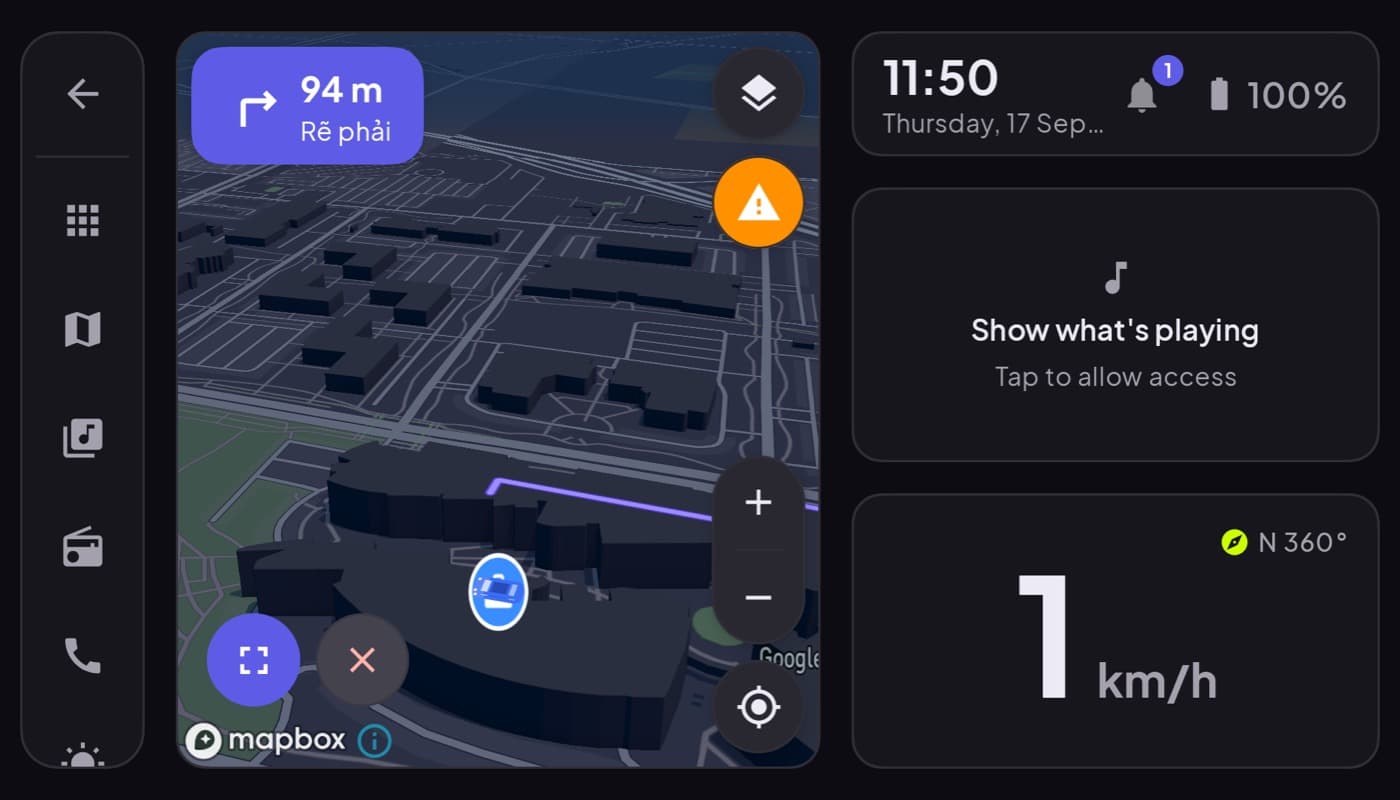
"Best car apps" is really a question about a setup, not a single app. No one app does navigation, a dashcam, fuel logging, and music equally well. The trick is picking the best app for each job and gluing them together so you are not fumbling between them while driving. Here is the kit, job by job.
We make one of these (Car Dashboard, the dashboard hub), so this has a stake, but the goal here is a whole setup, not a plug for one app.
The hub: a car dashboard
Start with the screen you look at most. A car dashboard app turns a mounted phone into a glanceable cockpit, speed, clock, maps, and media on one screen, so the everyday essentials do not each need their own app. Car Dashboard is built for this: a dark, landscape cockpit with a big speedometer, weather, music, radio and hands-free calling, coming soon on Google Play. Everything below plugs in around it.
Navigation
For getting places, pick a maps app you trust, ideally with offline maps for dead zones. See our best GPS apps for the car for the full rundown.
Music and radio
Streaming or local, what matters is big controls you can hit at a glance. Pair a music player with an internet radio app, or use a dashboard that has both built in.
A dashcam
A phone can double as a dashcam, recording the road for insurance and peace of mind. Best on a second phone if you have one, since it needs the camera.
Fuel and maintenance
Track running costs with a fuel tracker and stay on top of service with a car maintenance app. For live engine data, add an OBD-II app and a cheap dongle.
The setup, at a glance
| Job | What to use |
|---|---|
| Everyday cockpit | A car dashboard app |
| Getting places | A navigation app with offline maps |
| Audio | Music player + internet radio |
| Safety record | A dashcam app |
| Running costs | Fuel tracker + maintenance log |
| Engine data | An OBD-II app + dongle |
How to build yours
- Mount and power first. None of this works well without a steady dash mount and a charger.
- Pick a hub. A dashboard app cuts app-switching for the daily essentials.
- Add only what you use. A dashcam and fuel log are great; do not install ten apps you will never open.
- Keep it glanceable. Set everything up parked; drive on glances, see driving safely with your phone as a dashboard.
The short version: the best car apps for Android are a set, a dashboard hub plus the best tool for each job. Start with the cockpit, then add navigation, audio, a dashcam and a fuel or maintenance log as you need them.
Frequently asked questions
- What are the best car apps for Android?
- There's no single best app, you want the best one per job: a dashboard for the everyday cockpit, a navigation app with offline maps, music and radio players, a dashcam, and a fuel or maintenance log. A car dashboard app like Car Dashboard works as the hub, tying speed, maps and media into one glanceable screen.
- Do I need lots of apps for my car?
- No, install only what you'll actually use. Most people are well served by a dashboard app as the hub plus a navigation app and a music or radio player. Add a dashcam, fuel tracker, or maintenance log if those jobs matter to you. Too many apps just means more fumbling at the wheel.
- What is the one car app to start with?
- A car dashboard app, because it covers the screen you look at most and reduces app-switching for the daily essentials, speed, maps, and media on one glanceable cockpit. From there you add navigation, audio, and any extras like a dashcam or fuel log.
Turn your phone into the cockpit
Car Dashboard puts a big glanceable speedometer, maps, music and hands-free calling on one dark, landscape screen, in any car. Coming soon on Google Play. Join the waitlist for launch.
Get notified the day it lands on Google Play. No spam, one email.